Every kind of toast
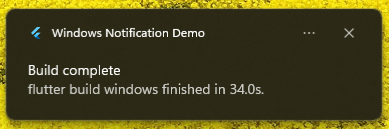
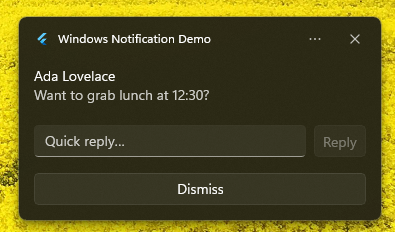
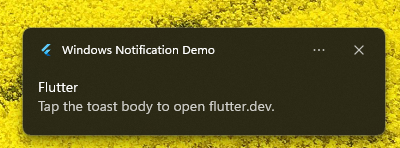
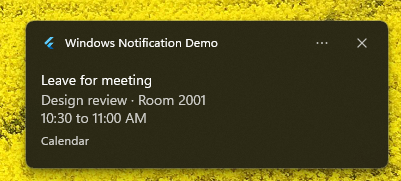
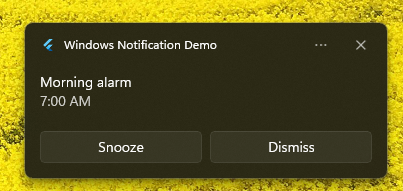
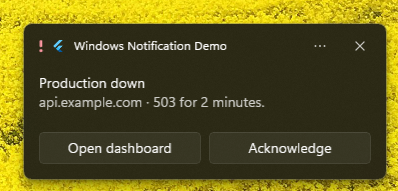
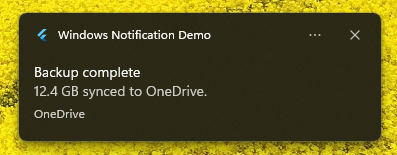
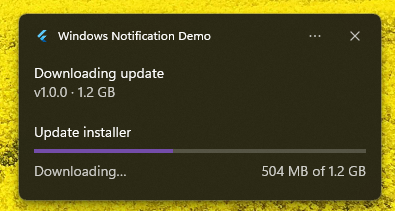
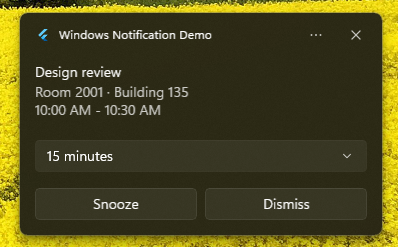
The example app fires each of these as a one-liner. These captures are from Windows. Simple, Reply, buttons, and Open link render on macOS and Linux too, while scenarios, progress, Custom XML, and the widget hero are Windows-only. Click any image to enlarge it.
Install
dependencies:
  flutter_desktop_notifications: ^1.1.0
import 'package:flutter_desktop_notifications/flutter_desktop_notifications.dart';Cross-platform: DesktopNotifier
One notifier for all three desktops. It speaks the common subset every platform supports: a title and body, an icon or image, action buttons, a reply field (Windows and macOS), urgency, and activation/dismissal callbacks. Each platform renders the fields it understands and ignores the rest. appName is the sender shown on Linux; appId is the Windows AUMID. Both are ignored where they do not apply.
final notifier = DesktopNotifier(appName: 'My App', appId: 'com.example.app');

// macOS prompts for permission the first time; Windows and Linux return true.
await notifier.requestPermission();

await notifier.setCallback((details) {
  switch (details.event) {
    case NotificationEvent.activated:
      // details.arguments -> the clicked action's arguments, or the
      //                      message's launch value for a body tap.
      // details.userInput -> { inputId: typed text } for a reply field.
      // details.message   -> the original NotificationMessage.
      break;
    case NotificationEvent.dismissedByUser:
    case NotificationEvent.dismissedByApp:
    case NotificationEvent.dismissedByTimeout:
      break;
  }
});

await notifier.show(
  NotificationMessage.fromPluginTemplate(
    'msg-1',
    'Build complete',
    'Works the same on Windows, macOS, and Linux.',
    actions: const [
      NotificationAction(content: 'Open', arguments: 'action:open'),
    ],
    inputs: const [
      NotificationInput.text(id: 'reply', placeholder: 'Reply…'),
    ],
  ),
);

await notifier.cancel('msg-1'); // remove one
await notifier.cancelAll();     // remove everything this app delivered
Platform support
| Platform | Backend | Notes |
|---|---|---|
| Windows | WinRT toast notifications | Full feature set. For an unpackaged app, register an AUMID first (below). |
| macOS | UNUserNotificationCenter | Call requestPermission() once. The app must be code-signed for the OS to deliver notifications. Supports a reply field. |
| Linux | freedesktop D-Bus (org.freedesktop.Notifications) | Pure Dart, no native code. Buttons and click/close callbacks; no reply field in the base spec. |
What carries across platforms
| Feature | Windows | macOS | Linux |
|---|---|---|---|
| Title, body | ✓ | ✓ | ✓ |
| Image / icon | ✓ | ✓ | ✓ |
| Action buttons | ✓ | ✓ | ✓ |
| Reply field | ✓ | ✓ | ✗ |
| Urgency / priority | ✓ | ✓ | ✓ |
| Click / dismiss callbacks | ✓ | ✓ | ✓ |
| Subtitle | ✗ | ✓ | ✗ |
| Scenarios, audio, progress, custom XML, hero-from-widget | ✓ | ✗ | ✗ |
Windows-only extras are reached through WindowsNotification (below). Building a message with extra fields and sending it through DesktopNotifier is safe; the macOS and Linux backends skip what they cannot show.
Windows: register an AUMID
Windows will not show a toast whose AUMID is not registered, and it uses the AUMID to look up the sender's name and icon. Packaged (MSIX) apps get this from the manifest, so leave applicationId null. Unpackaged apps call the helper once on startup.
Future<void> main() async {
  WidgetsFlutterBinding.ensureInitialized();
  await WindowsNotification.registerAumid(
    aumid: 'com.example.myapp',
    displayName: 'My App',
    // iconPath: r'C:\path\to\custom.ico', // optional; defaults to the exe icon
  );
  runApp(const MyApp());
}
registerAumid writes (or refreshes) a Start Menu shortcut carrying System.AppUserModel.ID. It is idempotent, so it is safe to run on every launch. AUMID rules: non-empty, 129 characters or fewer, no whitespace.
Windows: rich toasts
Use WindowsNotification directly for the full WinRT feature set: scenarios, system or looping sounds, progress bars, attribution, and extra styled text.
final notifier = WindowsNotification(applicationId: 'com.example.myapp');

await notifier.showNotificationPluginTemplate(
  NotificationMessage.fromPluginTemplate(
    'reminder',
    'Leave for meeting',
    'Design review · Room 2001',
    scenario: NotificationScenario.reminder, // reminder, alarm, incomingCall, urgent
    audio: const NotificationAudio(sound: NotificationSound.Reminder),
    attribution: 'Calendar',
    progress: const NotificationProgress(value: 0.42, status: 'Downloading…'),
  ),
);
Hero image from a Flutter widget
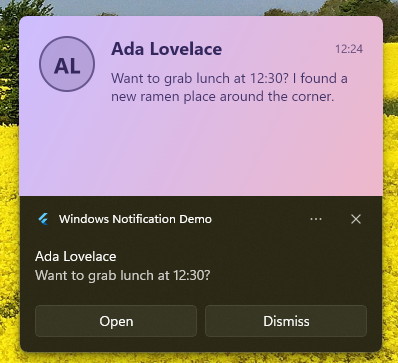
WidgetToImage rasterizes any widget off-screen to a PNG, so you can drop live-generated content into a toast without mounting the widget first. Hero images are 364 x 180; pass a higher pixelRatio for crisp output. Windows-only.
final path = await WidgetToImage.toPngFile(
  widget: NowPlayingCard(track: track),
  size: const Size(364, 180),
  pixelRatio: 2.0,
);

await notifier.showNotificationPluginTemplate(
  NotificationMessage.fromPluginTemplate(
    'now-playing',
    'Now playing',
    'Neil Young · Harvest Moon',
    heroImage: path,
  ),
);WidgetToImage and handed to the toast.Custom XML
When the built-ins are not enough, send raw toast XML. The toast XML schema reference lists every supported element. Windows-only.
const template = '''
<toast scenario="reminder">
  <visual>
    <binding template="ToastGeneric">
      <text>Design review</text>
      <text>Room 2001 / Building 135</text>
    </binding>
  </visual>
</toast>
''';

await notifier.showNotificationCustomTemplate(
  NotificationMessage.fromCustomTemplate('meeting', group: 'meetings'),
  template,
);
Removing notifications
The cross-platform DesktopNotifier exposes cancel(id) and cancelAll(). On Windows, WindowsNotification adds group-aware removal:
await notifier.clearNotificationHistory();                 // everything from this app
await notifier.removeNotificationGroup('meetings');         // all in a group
await notifier.removeNotificationId('meeting', 'meetings'); // a single toast
API reference
DesktopNotifier — cross-platform
| Member | Signature | What it does |
|---|---|---|
requestPermission | () → Future<bool> | Ask for permission. macOS prompts; Windows and Linux return true. Call once before show. |
show | (NotificationMessage) → Future<void> | Post a notification. |
setCallback | (NotificationCallback?) → Future<void> | Register the activation/dismissal handler. Pass null to clear. |
cancel | (String id, {String? group}) → Future<void> | Remove one delivered notification. group applies on Windows. |
cancelAll | () → Future<void> | Remove everything this app has delivered. |
isSupported | bool | Whether the current platform is Windows, macOS, or Linux. |
Constructor: DesktopNotifier({ appName, appId }).
WindowsNotification — Windows extras
| Method | Signature | What it does |
|---|---|---|
showNotificationPluginTemplate | (NotificationMessage) → Future<void> | Show a toast built from a template. |
showNotificationCustomTemplate | (NotificationMessage, String xml) → Future<void> | Show a toast from raw toast XML. |
setCallback | (NotificationCallback?) → Future<void> | Register the activation/dismissal handler. Pass null to stop. |
clearNotificationHistory | () → Future<void> | Remove every delivered toast from this app. |
removeNotificationGroup | (String group) → Future<void> | Remove all toasts in a group. |
removeNotificationId | (String id, String group) → Future<void> | Remove a single toast by id within a group. |
registerAumid (static) | ({aumid, displayName, iconPath?}) → Future<void> | Register a Start Menu AUMID for unpackaged apps. |
bringAppToForeground (static) | () → Future<void> | Raise and un-minimize the app window, for "Open" actions. |
NotificationMessage.fromPluginTemplate — key fields
| Field | Type | What it does |
|---|---|---|
id | String | Unique tag for the notification. Required. |
title / body | String | Headline and body text. Required on the plugin template. |
image | String? | Small, circle-cropped logo path. |
largeImage | String? | Large image shown below the text (Windows). |
heroImage | String? | Banner image at the top (Windows). Pair with WidgetToImage for live content. |
actions | List<NotificationAction> | Buttons, or overflow context-menu items. |
inputs | List<NotificationInput> | Text or selection fields (reply on Windows / macOS). |
audio | NotificationAudio? | A system sound, silent, or a looping alarm/call sound (Windows). |
progress | NotificationProgress? | A progress bar with value, label override, and status (Windows). |
scenario | NotificationScenario? | reminder, alarm, incomingCall, or urgent (Windows). |
launch / activationType | String? / enum | Body-tap payload, and whether a tap runs foreground or opens a URL (protocol). |
group | String? | Group key, used for batch removal (Windows). |
Supporting types: NotificationAction, NotificationInput (.text / .selection), NotificationSelection, NotificationAudio (.silent / .custom), NotificationProgress, NotificationText, and the enums NotificationScenario, NotificationActivationType, NotificationDuration, NotificationButtonStyle, and NotificationSound.
Run the example
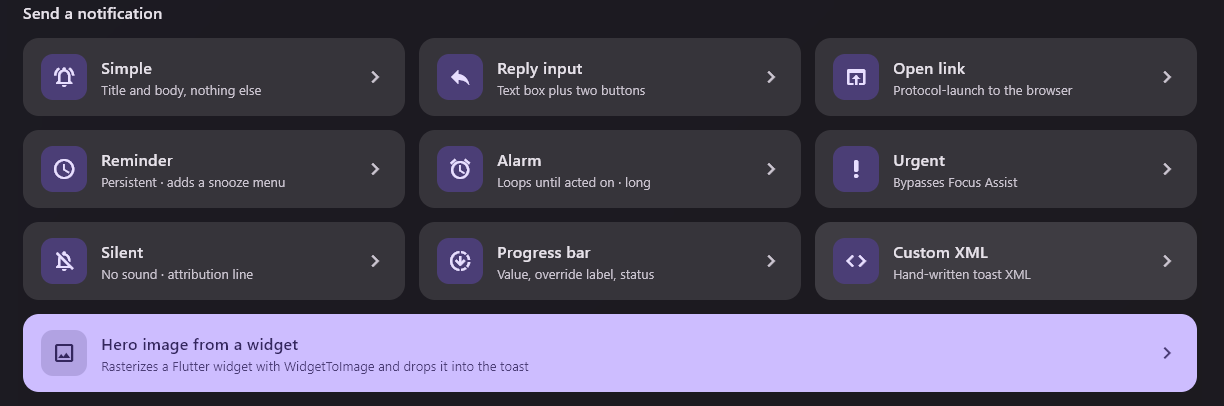
A full demo lives in example/, with an accent and light/dark switcher, a cross-platform row that runs everywhere, and the Windows-only extras (scenarios, audio, progress, custom XML, and the widget-to-hero-image renderer).
cd example
flutter run -d windows   # or: -d macos, -d linux
Building a desktop app?
We ship Flutter desktop software for teams that want it to feel native. If you want a hand with notifications, or something custom, say hello.
Start a project